
1) Have Site Manager, Medical Assistant, or Patient Access Complete the following:
- Go to Appointment Desk
- Look up patient
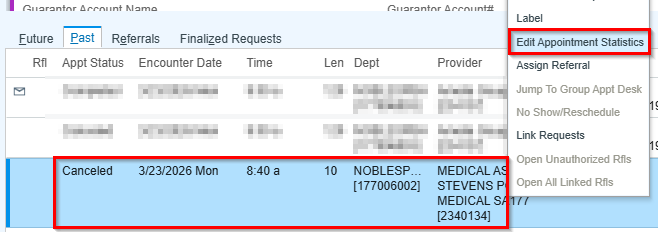
- Select Past Tab

- Right Click on the Cancelled (previously checked in appointment)
- Select Edit Appointment Statistics
- Update the Provider to the Medical Assistants Name
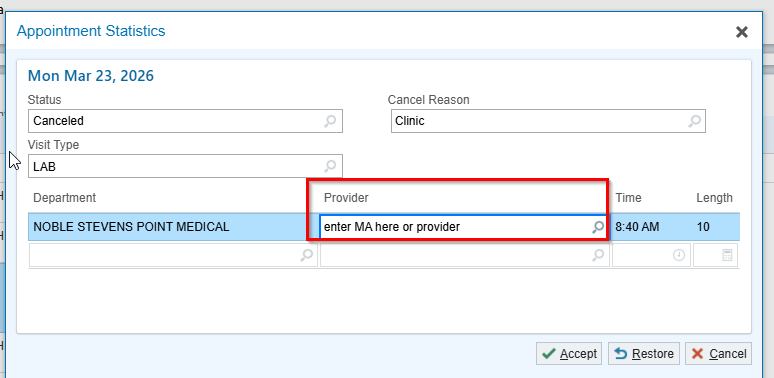
- Select Accept
2) Medical Assistant Completes the following:
- Go to My Open Charts (In Basket)
- Select Encounter
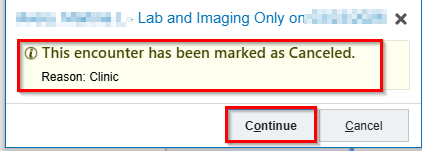
- Select Continue on the pop up to go to Encounter
- Select Rooming
- Select Chief Complaint
- ****Make sure all orders are cancelled if not already and remove any visit diagnosis that was added****
- Enter Oops in Add new reason
- Encounter Created in Error will fill in
- Select Close on Chief Complaint box
- Select Oops Express Lane
- If Applicable, Select Next if there is a warning
- Select Accept
- Select Accept
- Select Start Questionnaire
- Enter Program Area as appropriate.
- Enter Program Area as appropriate.
- Enter Authoriginz Provider in Pop (Can use 12 non billing provider
- Select Accept
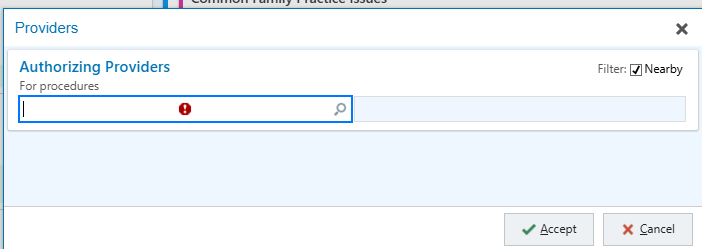
- Select Sign
- Select Sign Visit